Business Intel
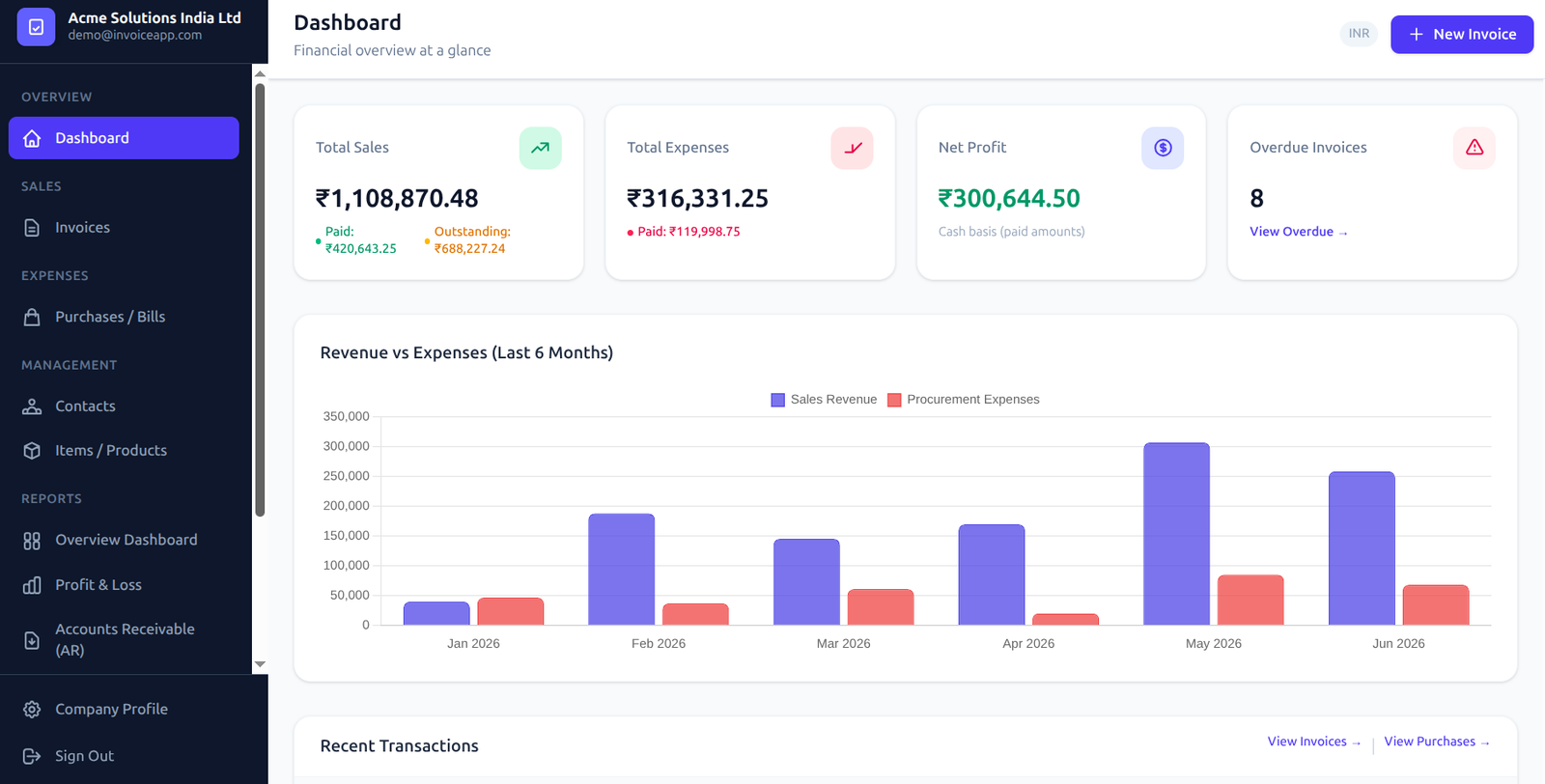
Dashboard Overview & Metrics
The Glofora Invoice dashboard provides a 360-degree command center for your business finances. Instantly monitor performance metrics, monthly sales curves, purchase expenditures, and net liquidity from a single, centralized viewport. Reconciling pending payments and spotting cashflow changes is simple.
Real-time Performance Metrics
See immediate metrics for sales, purchase bills, and net operating margins.
Dynamic Reconciliations
Inspect incoming revenues versus business expenses month-over-month.
Configuration
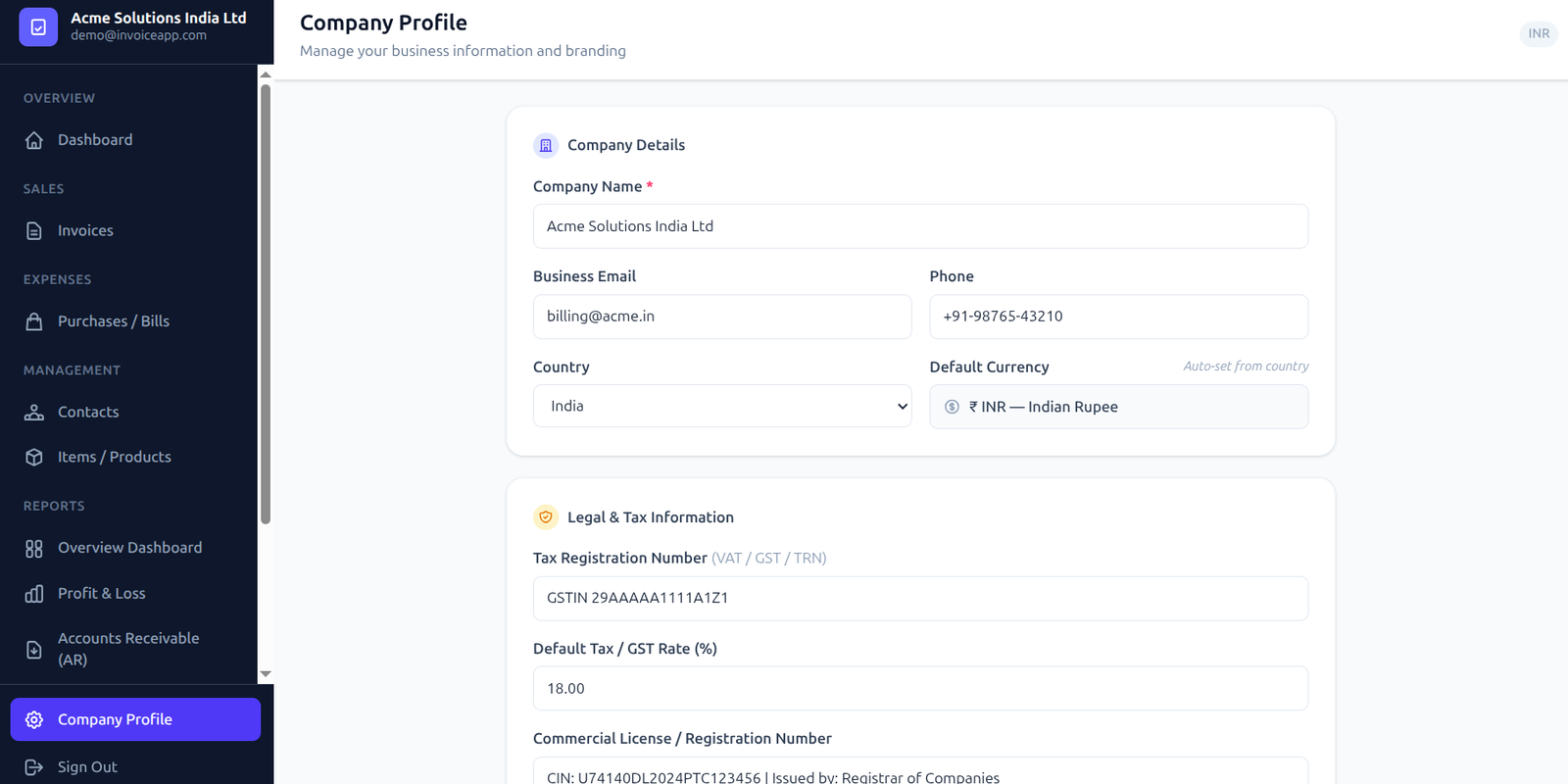
Company Profile & Global Defaults
Configure your corporate credentials, default currency parameters, tax regimes, and brand assets. Setting your default country streamlines calculations by auto-filling correct regional tax rates (such as 18% for India or 5% for other countries). Custom business logos are stored dynamically and embedded directly onto outbound billing PDFs.
Adaptive Tax Defaults
Automatically pre-populates target tax coefficients based on company home country.
Branding Assets Control
Upload and scale high-res company logos to design custom professional templates.
Generation
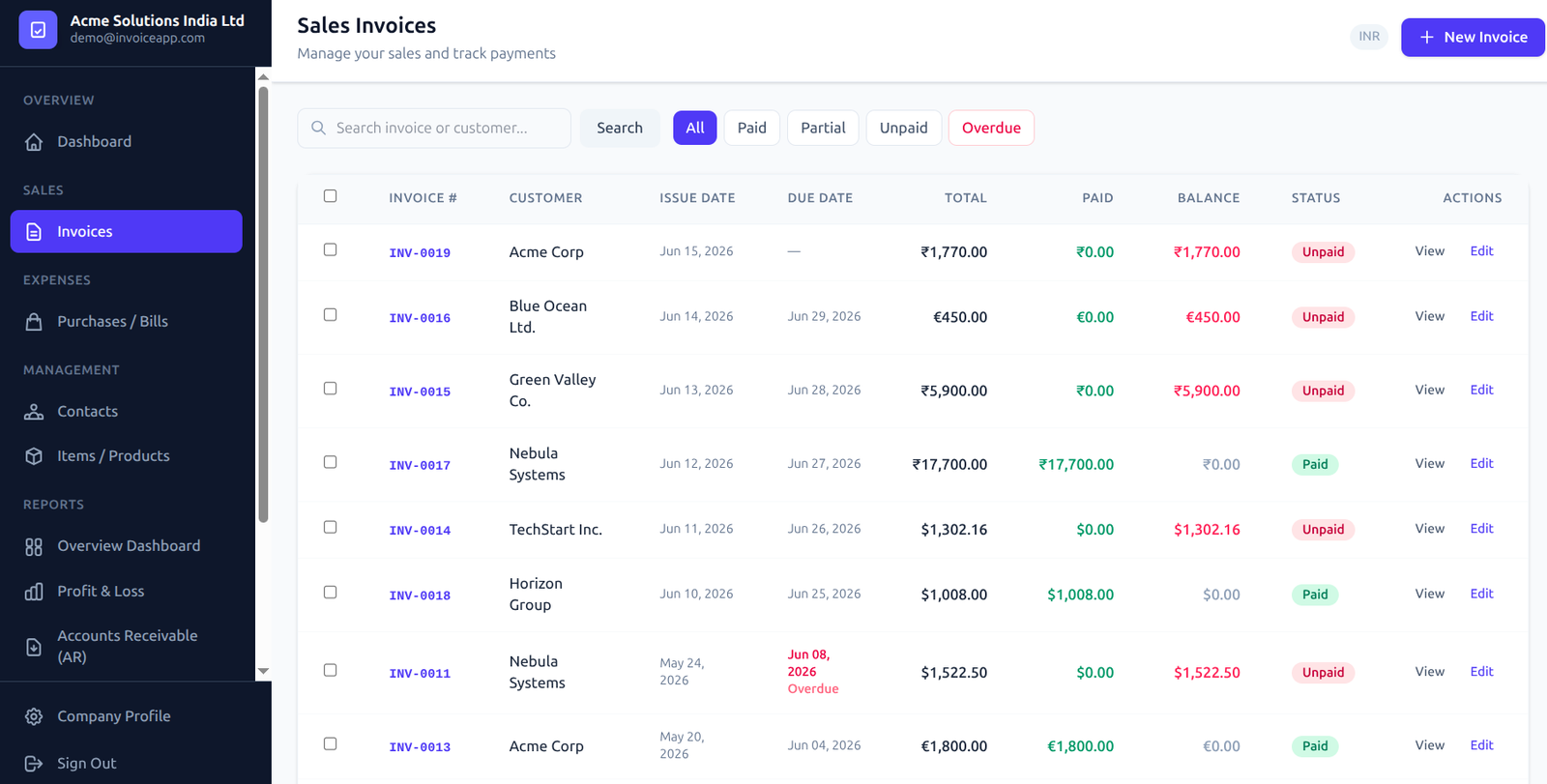
Interactive Invoice Builder
Build itemized invoices in under a minute. Incorporate multiple line items, customize billing unit descriptions, and adjust quantities on the fly. The built-in calculations engine operates client-side to instantly sum totals, calculate percentage/fixed discounts, add handling fees, and process precise line-item taxes.
Dynamic Calculations Engine
Calculates taxes, item subtotals, and overall discounts instantly.
Zero-Tax Configurations
Toggle custom zero-tax parameters to hide tax columns for clean statements.
Inspection
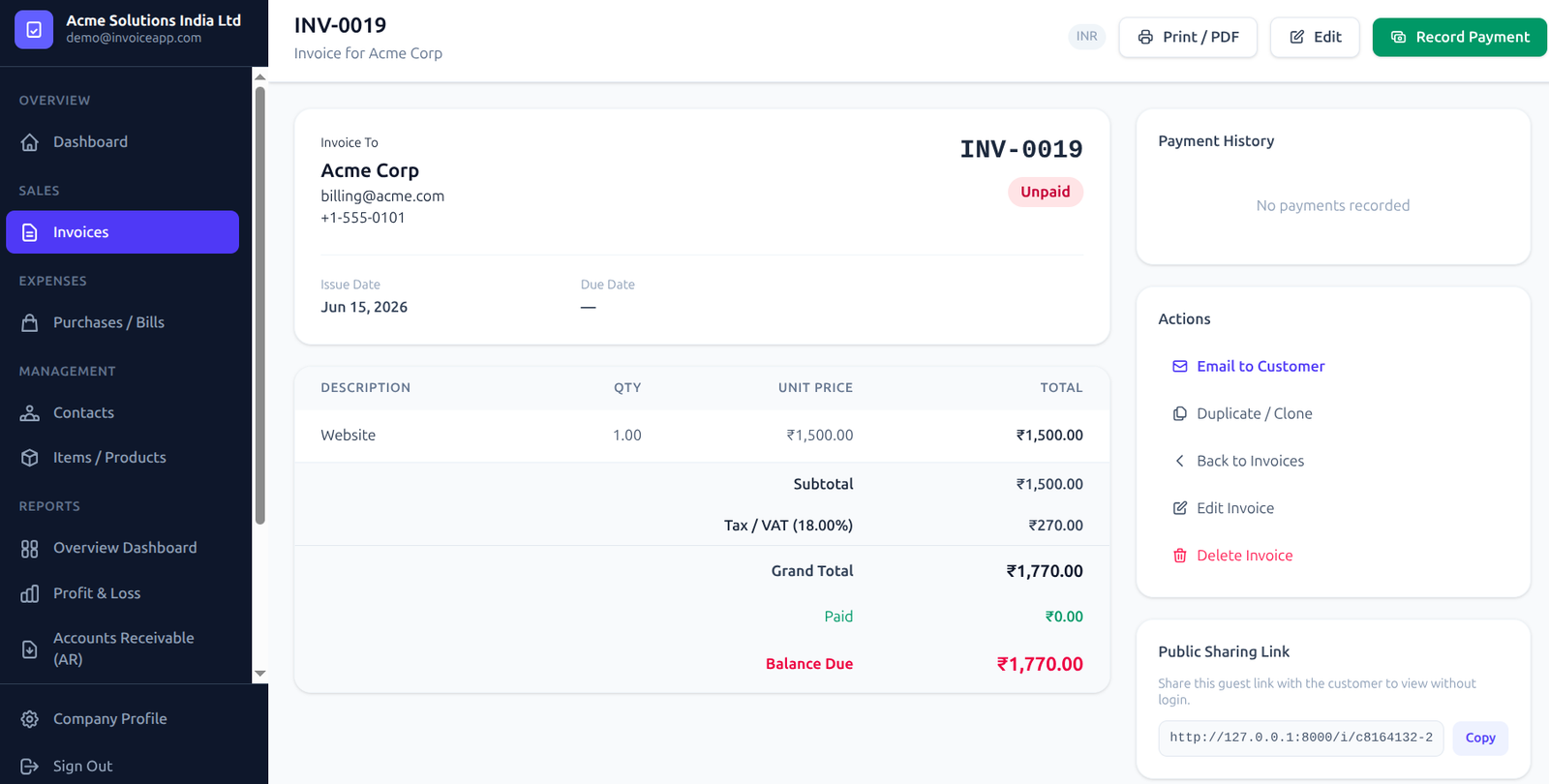
In-App Invoice Inspector
Reconcile documents inside a robust inspector interface. Monitor client details, payment statuses (Paid, Unpaid, Overdue, Draft), multi-currency conversions, and tax audits. Quick-action rows allow teams to edit, clone, mail, print, or download invoices on a single click.
Status Tracking
Track color-coded payment categories to identify outstanding invoices immediately.
Quick Actions
Manage documents with commands to duplicate, edit, or share with clients.
PDF Export
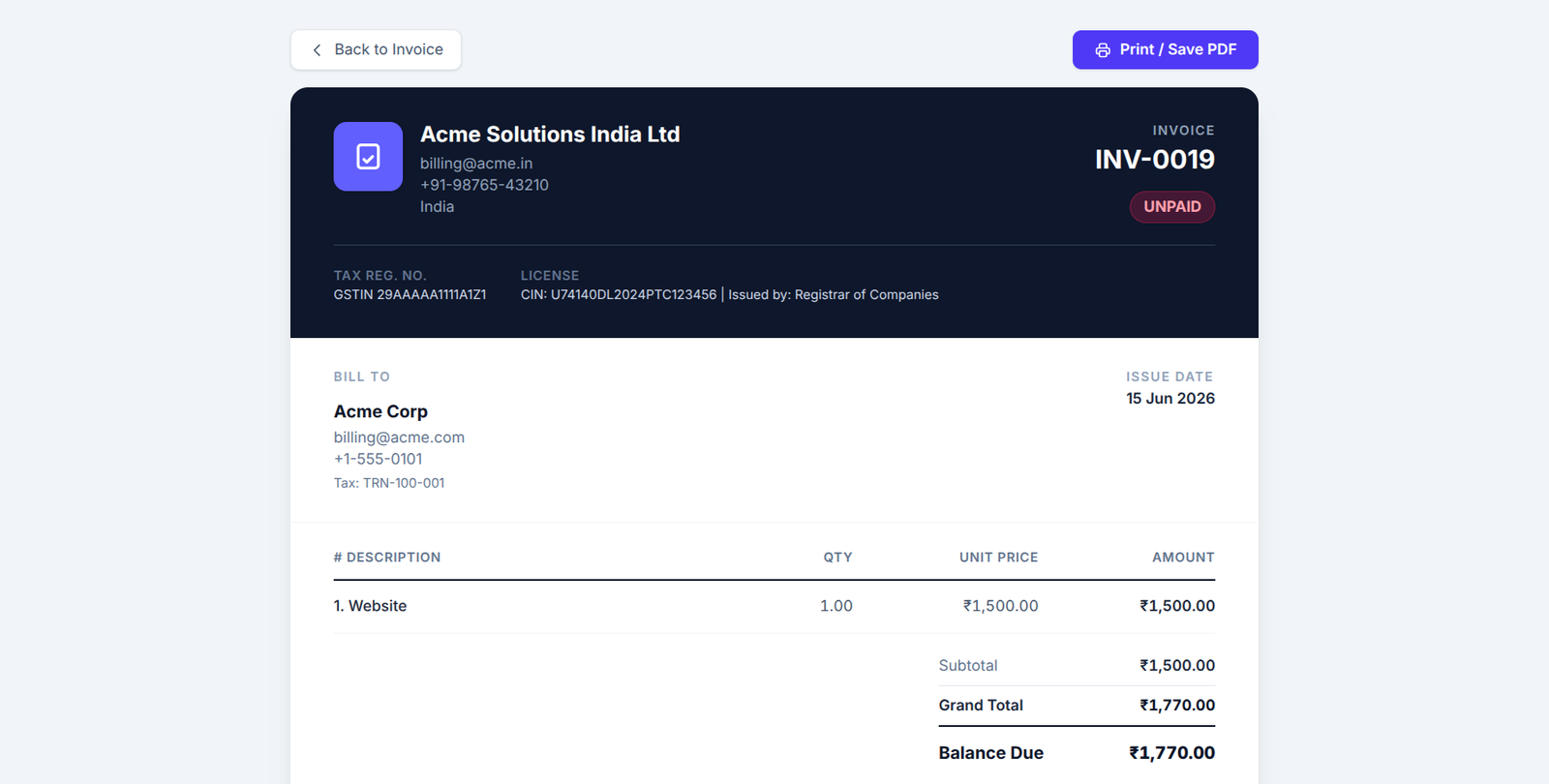
Professional PDF & Print Layouts
Create client-facing PDF documents configured for print distribution or digital attachment. Designed with modern typography, clear grid alignments, and formal structure standards, our PDF templates ensure your corporate communications remain clean and readable.
A4/Letter Optimizations
Page-break constraints prevent clipping across print boundaries.
Compact File Compressions
Outputs lightweight files that load fast and attach to outbound emails easily.
Multi-Currency
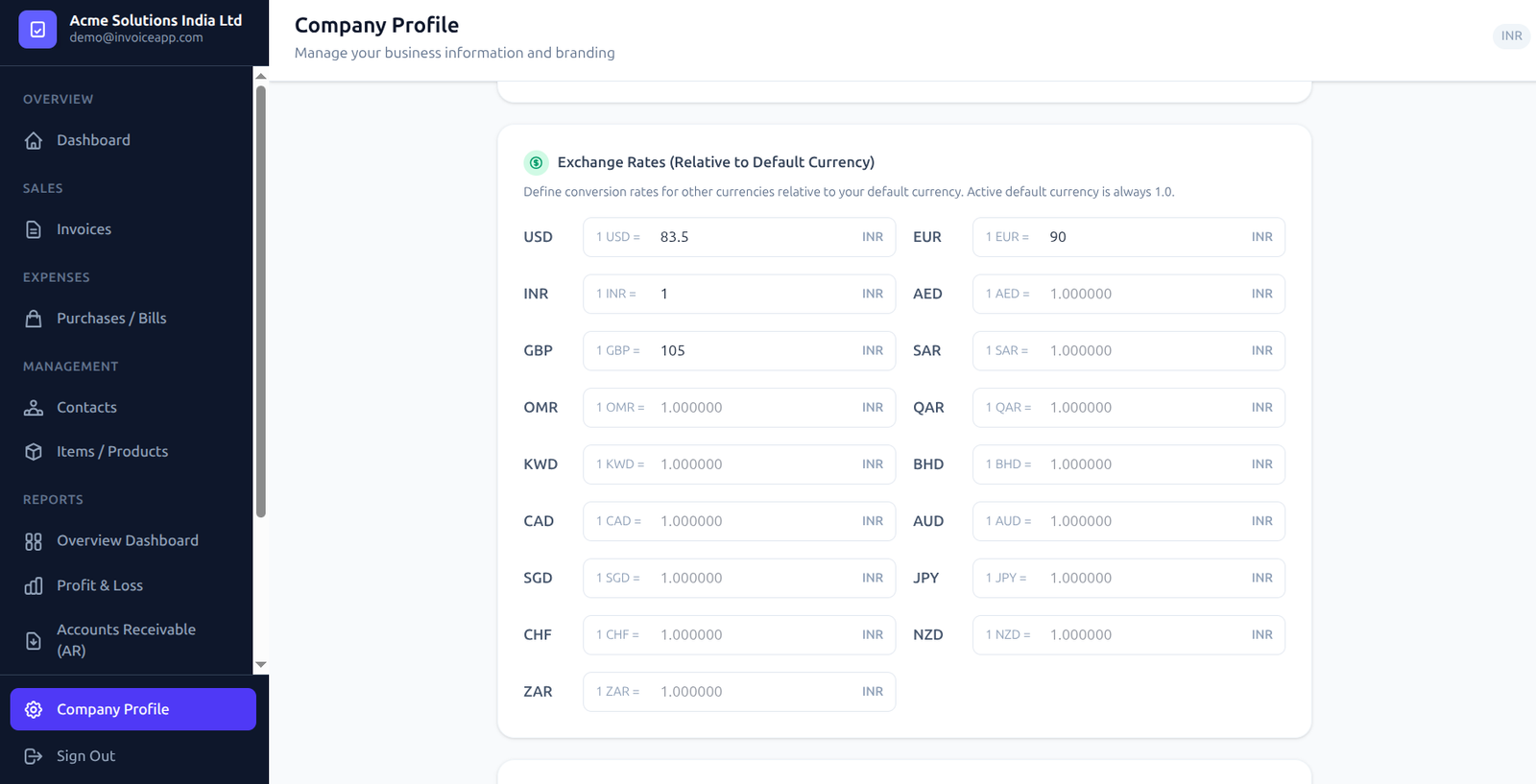
Currency Exchange Configurations
Expand your commercial reach globally. Our currency matrix allows users to trade in USD, EUR, INR, AED, and other major currencies. Establish manual exchange rates or use automated live lookup settings to calculate base-currency reporting values automatically.
Multi-Currency Conversions
Map items in client currencies while maintaining local currency equivalents.
Custom Rate Ledgers
Maintain historical records of exchange factors for auditing.
CRM Integration
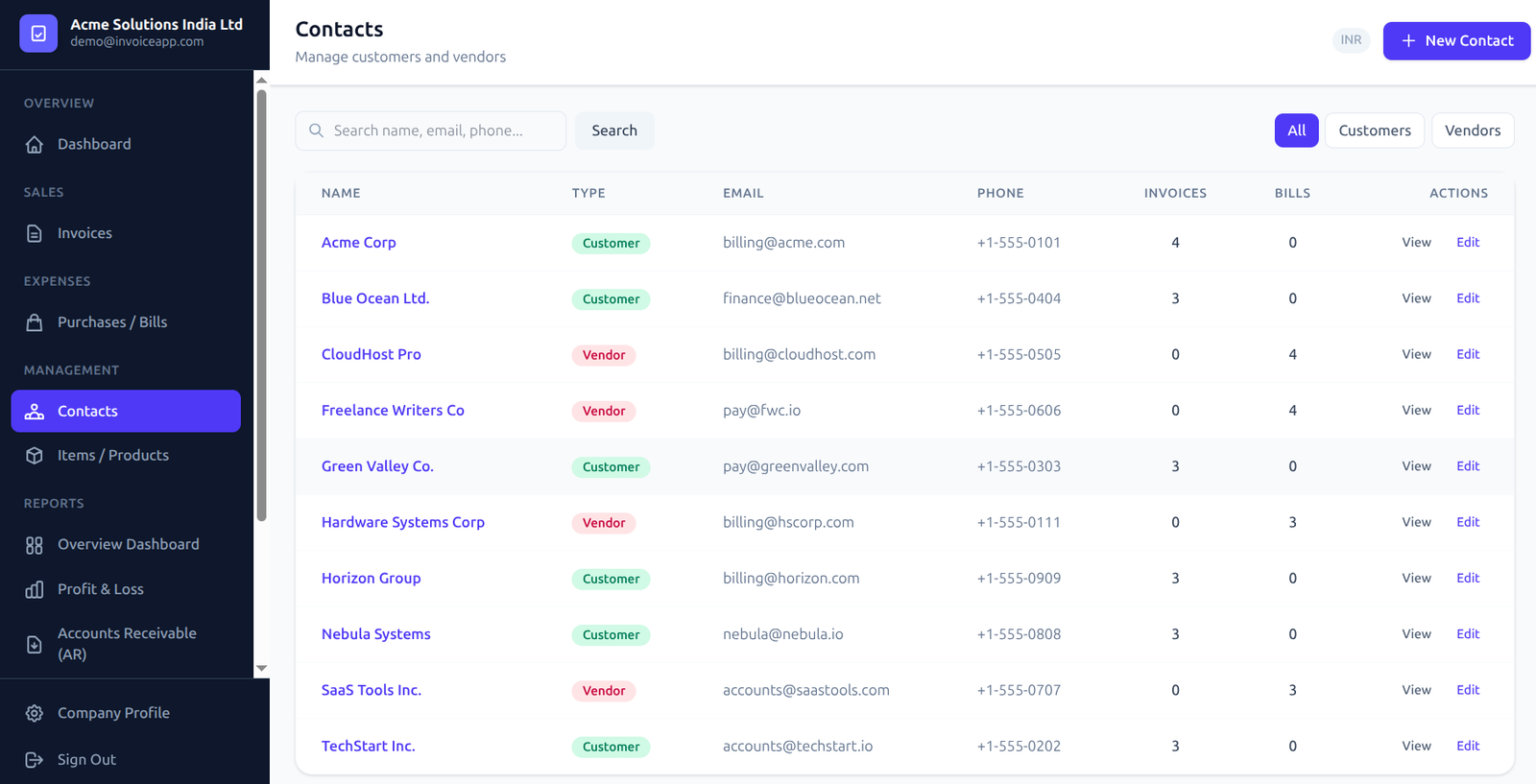
CRM & Contacts Database
Keep details for all clients, customers, and suppliers saved securely. Store billing parameters, regional addresses, phone numbers, and TAX/GST identification IDs. The billing workflow connects directly to contacts to populate invoice parameters instantly.
Double-sided Contacts
Designate records as Clients (sales recipients) or Vendors (expense sources).
Client History Access
Review invoices, unpaid balances, and transaction logs on client cards.
Expenses
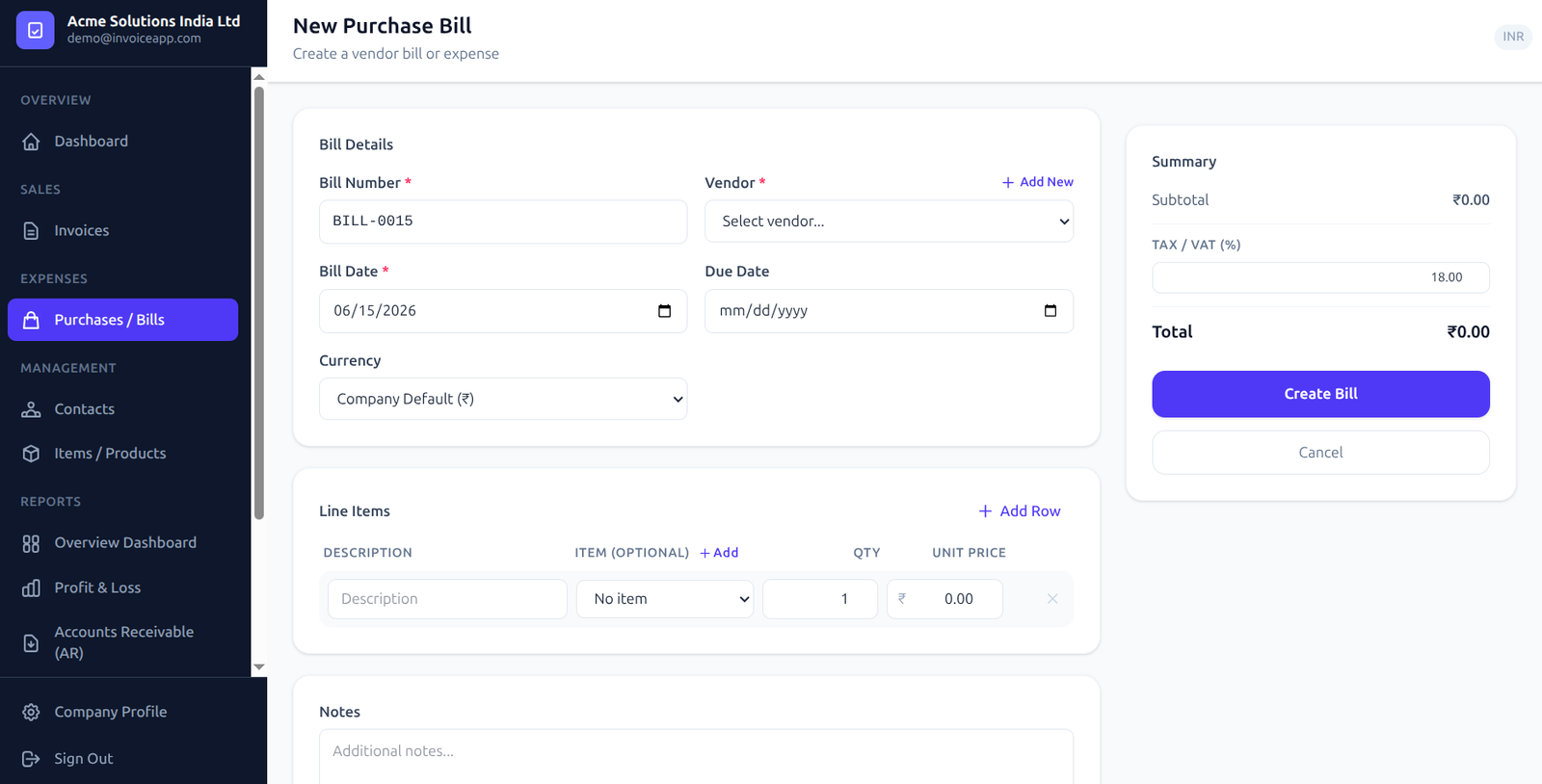
Purchase Invoices & Expense Tracking
Monitor company expenses alongside outbound sales. Register incoming vendor bills, inventory costs, software subscriptions, and operating costs. Documenting corporate purchases calculates net profit margins and matches Input Tax Credits.
Supplier Bill Registry
Log invoice numbers, payment details, and reference documentation.
Input Tax Credits
Record taxes paid on commercial purchases to reconcile tax return filings.
Reporting
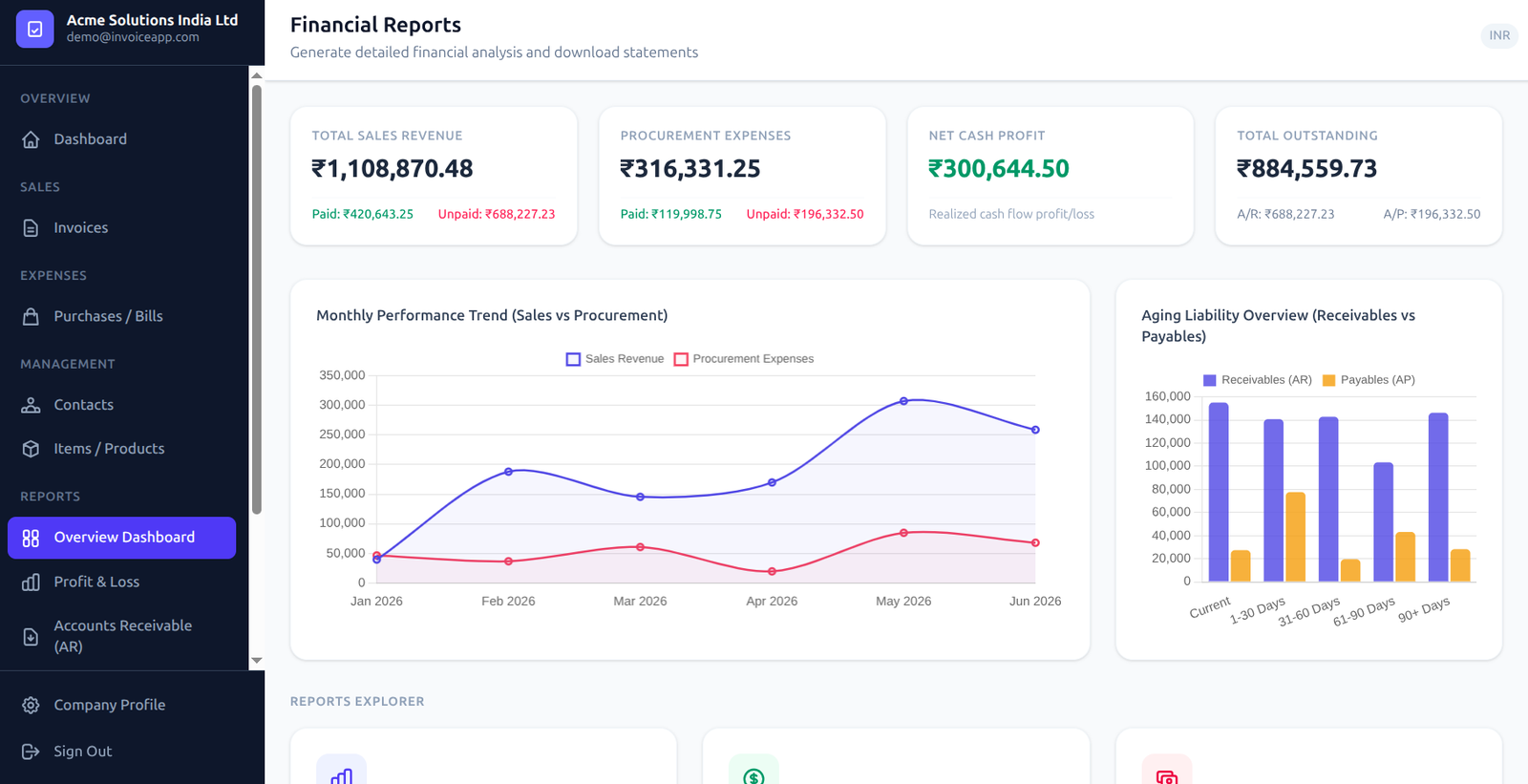
Financial Analytics & Reports
Analyze performance dynamics with visual reporting panels. Generate charts comparing total sales revenue to expense parameters, verify annual tax filings, and download audit sheets for your internal bookkeeping requirements.
Visual Charts
Compare weekly sales against monthly vendor expenses using dynamic bars.
Tax Summaries
Verify cumulative tax inputs and outputs to compile tax filings easily.
Bookkeeping
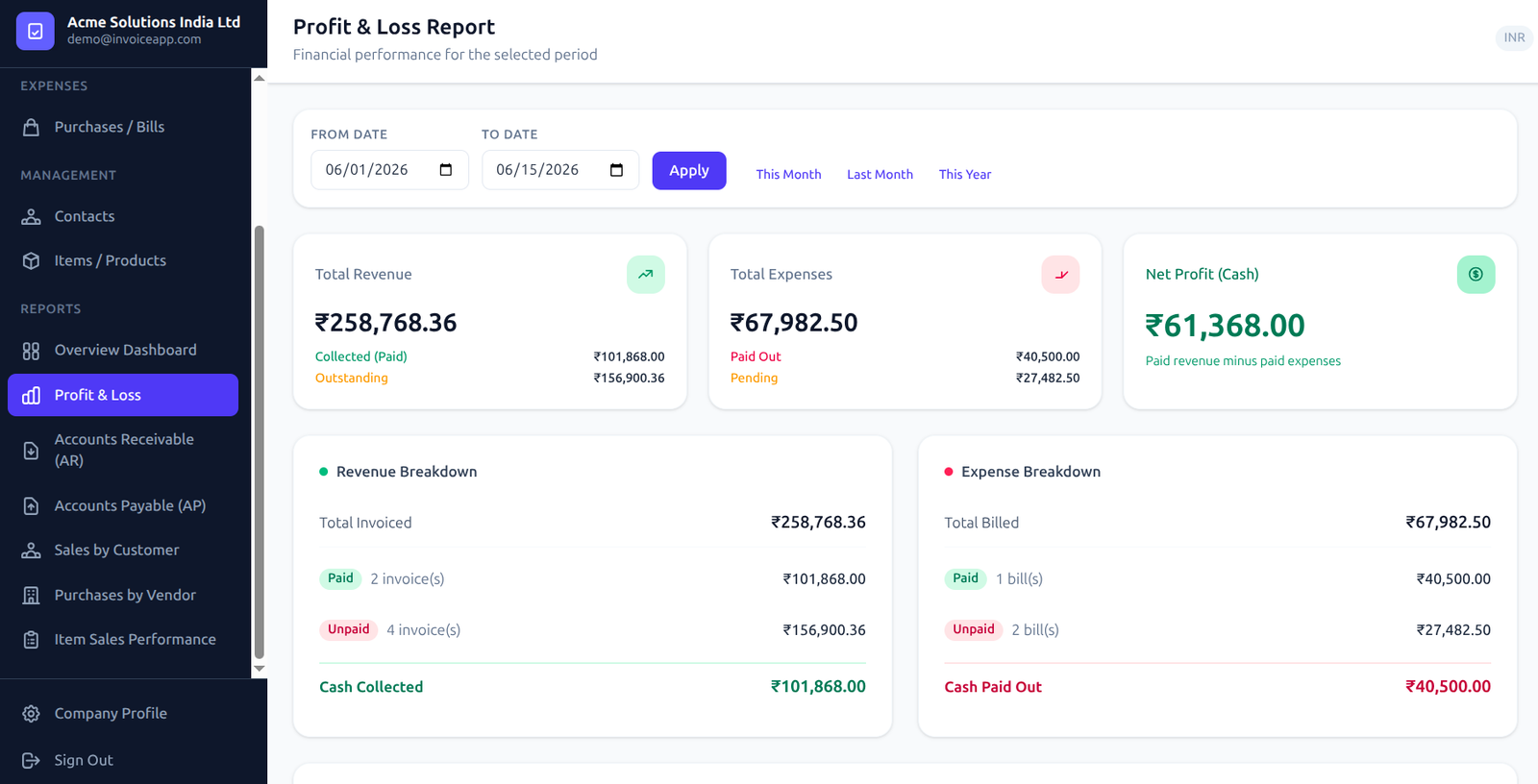
Profit & Loss Statements
Automatically compile structured Profit & Loss (P&L) statements for custom time ranges. The bookkeeping module calculates sales revenue, subtracts cost of goods sold (COGS) and operational expenses, and shows bottom-line net profit performance.
Consolidated Bookkeeping
Aggregates multiple payment categories into standard accounting summaries.
Operating Net Income
Calculate your precise net profits to evaluate company margins.