Message Creation
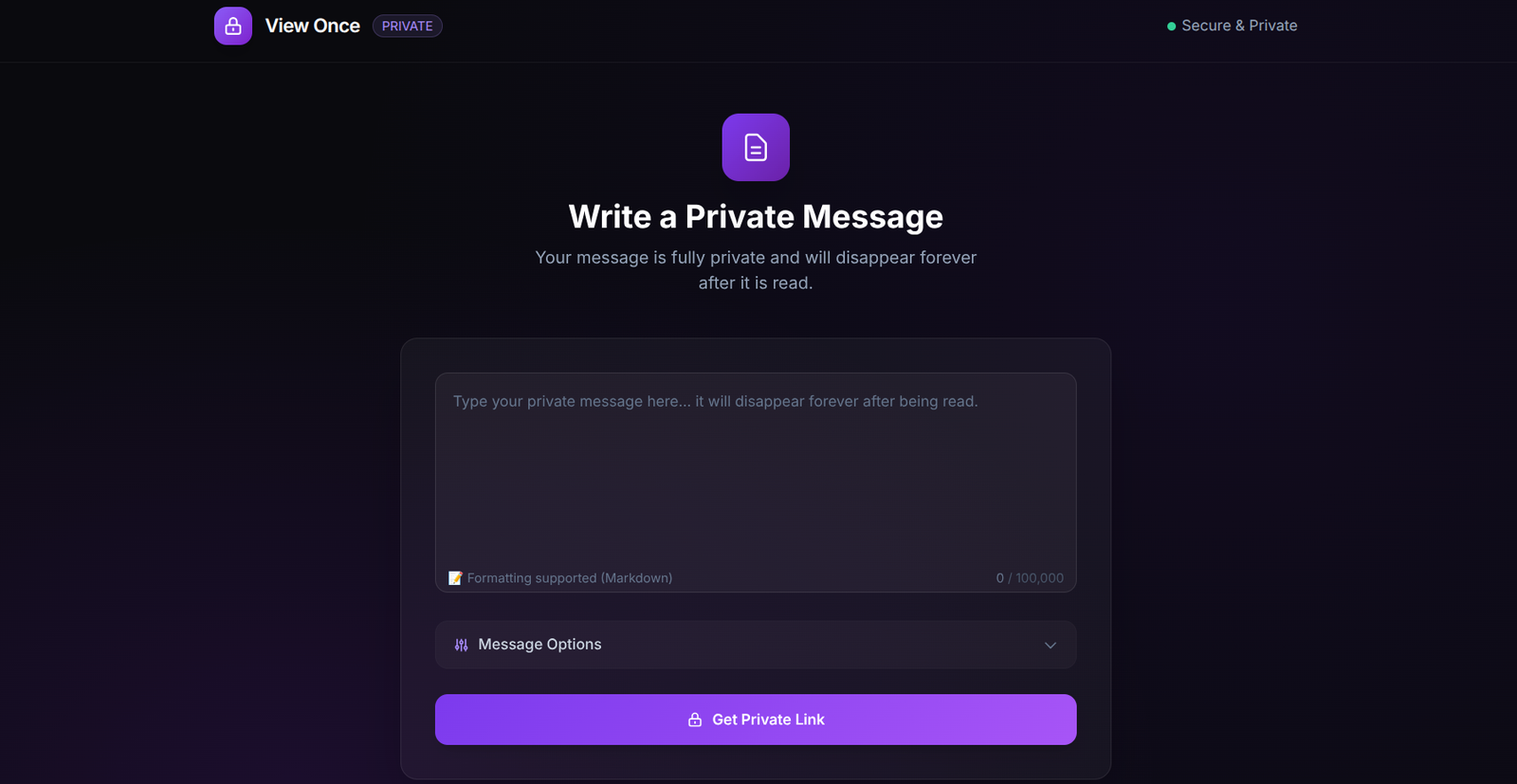
Secure Message & Note Editor
The creation dashboard is your primary portal for drafting secure communications. Write confidential text, paste API keys, passwords, configuration logs, or secret documents. You can also upload encrypted file attachments up to 2MB. All data input is formatted locally in your browser.
Client-side Compression
Large file attachments are optimized and compressed in-browser before encryption.
Flexible Payloads
Support for raw texts, system configurations, JSON data, and multi-line inputs.
Access Control
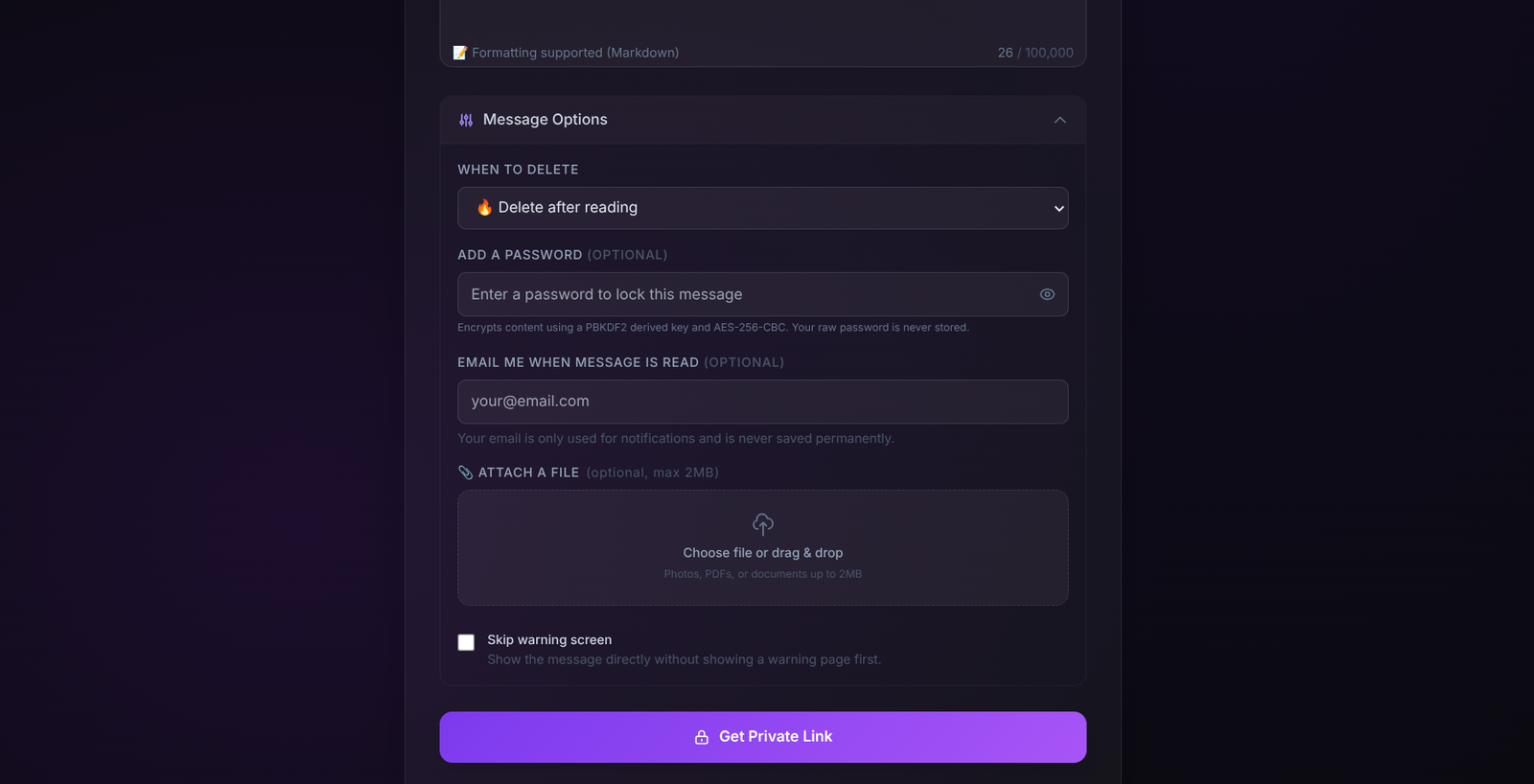
Advanced Protection Settings
Customize the lifecycle of your secrets using advanced privacy settings. You can enforce manual decryption passphrases using PBKDF2 key derivation, specify automatic lifetime expirations (ranging from 1 hour to 7 days), and enable bot-crawler prevention to ensure search indexers don't accidentally consume and destroy links.
Manual Passphrases
Enforce manual passwords. Decryption keys are derived locally using PBKDF2 parameters.
Bot-Crawler Prevention
Intercept automatic web crawler scans to prevent early link destruction.
Link Output
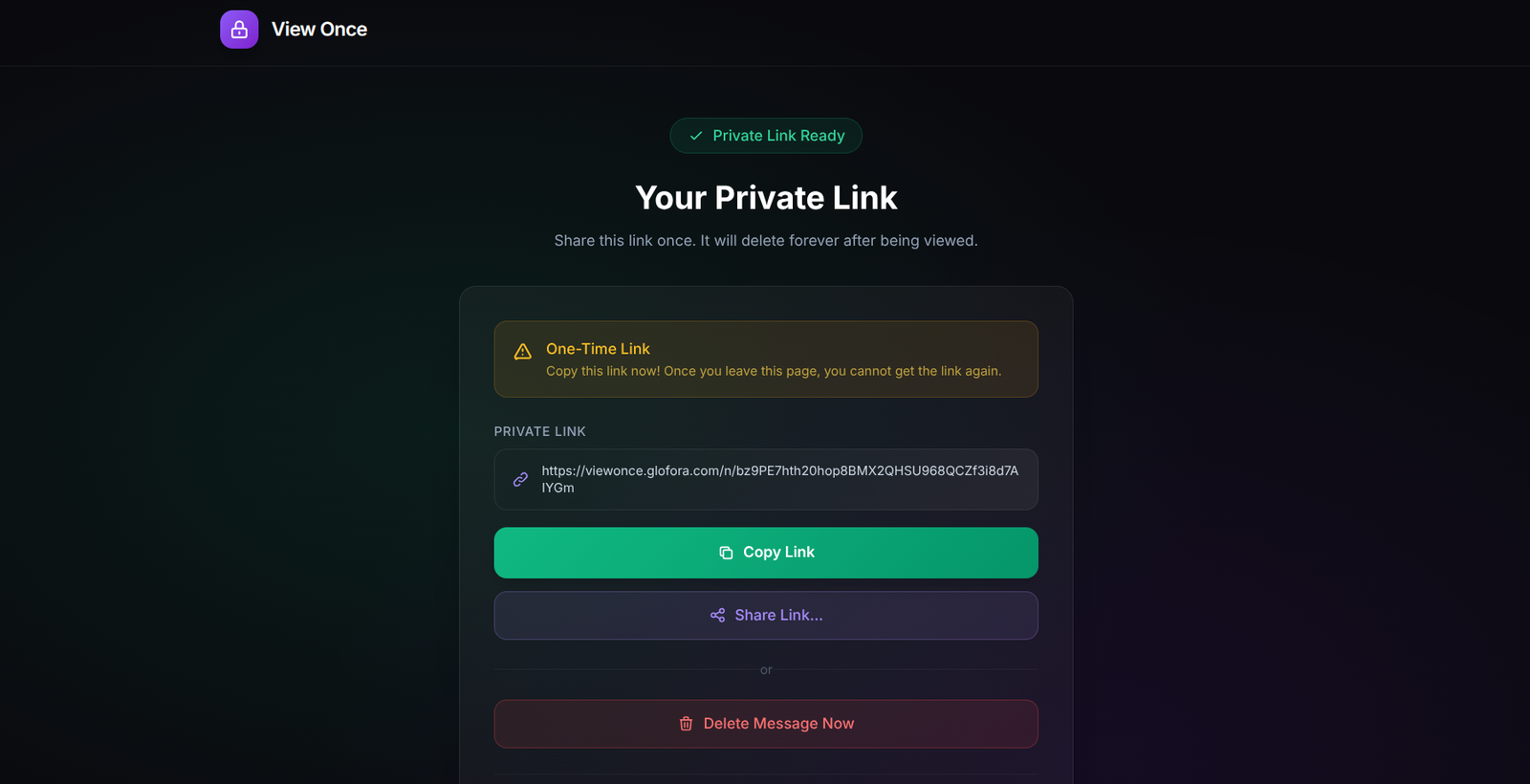
Zero-Knowledge Link Generation
Once you submit your message, View Once generates a unique sharing link. The key highlight of our cryptographic structure is the URL hash fragment. The decryption key sits after the '#' character in the URL, meaning it is processed locally in the recipient's browser and is never sent to the network.
URL Hash Isolation
Plaintext keys reside after the hash fragment to prevent cloud logging.
Quick Copy Clipboard
Instant copying functions with fallback triggers for older mobile browsers.
Retrieval Alert
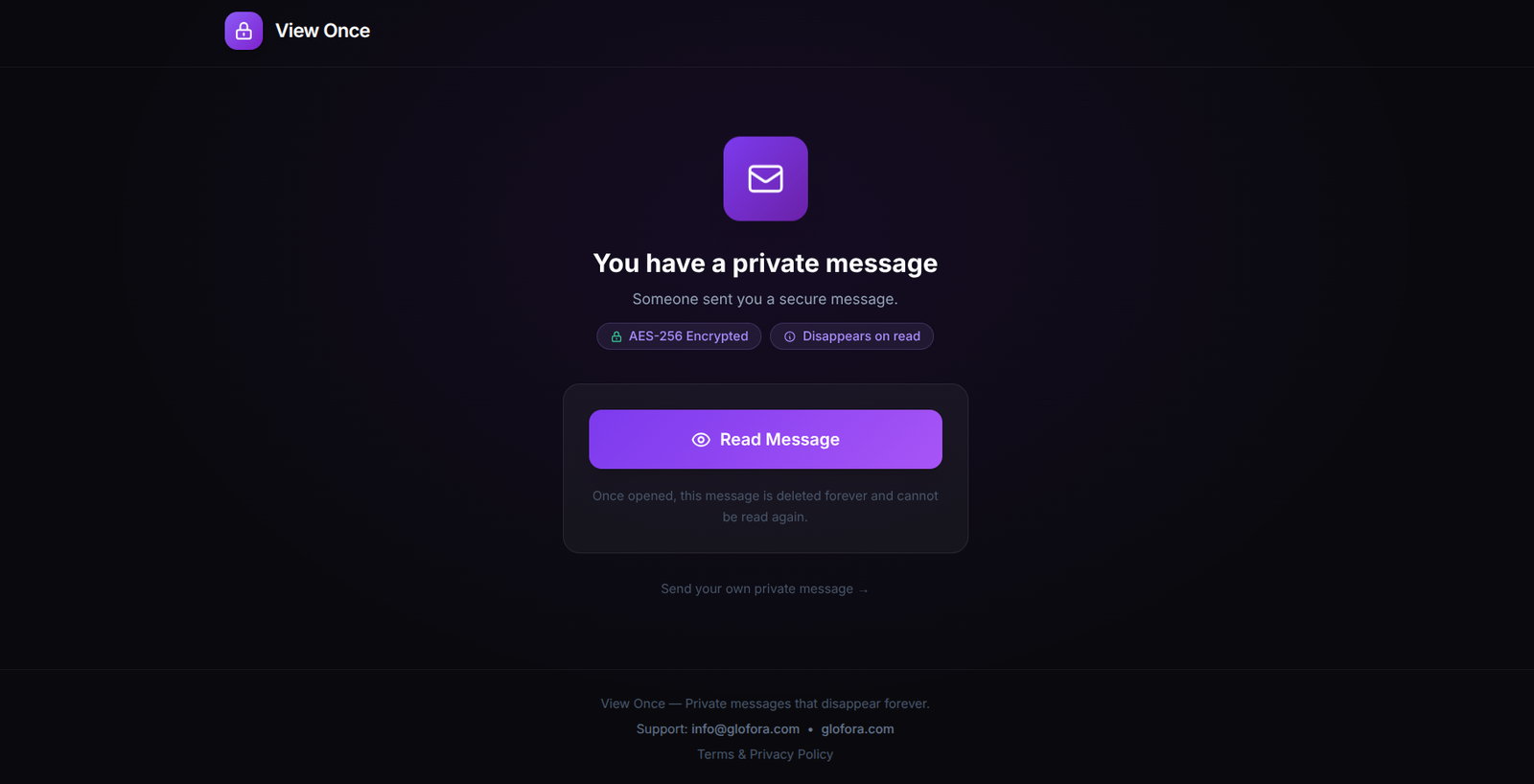
Retrieval Confirmation Prompt
When the recipient opens the link, the system displays a clear warning screen. Reading the note will retrieve the encrypted cipher, decrypt it locally, and permanently delete the database record. This prevents double-reading and ensures that the message cannot be intercepted by anyone else.
Accidental Read Intercept
Provides a warning screen to prevent accidental link consumption.
Immediate Hard Delete
The database entry is purged during retrieval, leaving no traces on the server.
Decryption View
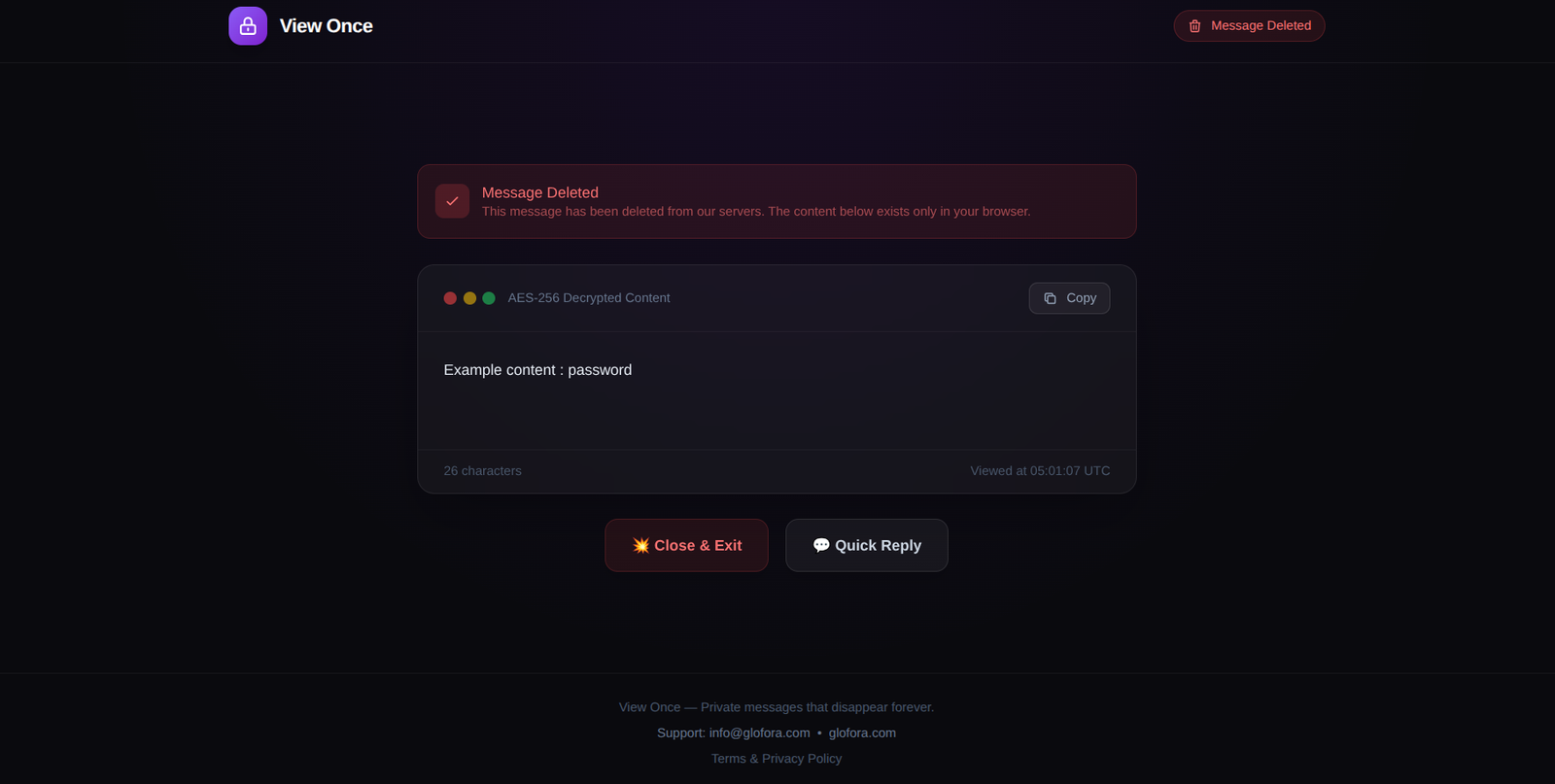
Decrypted Reader & Secure Replies
The decrypted message view shows the raw notes and links to download decrypted file attachments. Since the recipient might need to respond securely, the reader integrates an instant secure reply module. The recipient can click "Reply Securely" to create a new self-destructing response, facilitating two-way confidential conversations.
Local Decryption
The browser reads the URL hash key and decrypts payloads client-side.
Secure Reply Loops
Send immediate self-destructing responses without setting up user profiles.